Connect your account
Add your provider access in your portal settings.
TUNINGFILES.AI INTEGRATION
Connect your TuningFiles account to process ECU files from your own portal.
TuningFiles packages and usage are purchased separately from TuningFiles. They are not included in the portal subscription.
Add your provider access in your portal settings.
Choose your services and the credit prices your customers pay.
File results and customer questions stay together in the same order.
FROM CONNECTION TO DELIVERY
Your customers work in your portal. The connected TuningFiles API processes supported files using your own provider account.
Choose a plan from TuningFiles.ai and add your API key in the portal settings. The account and allowance are tied to your tenant.
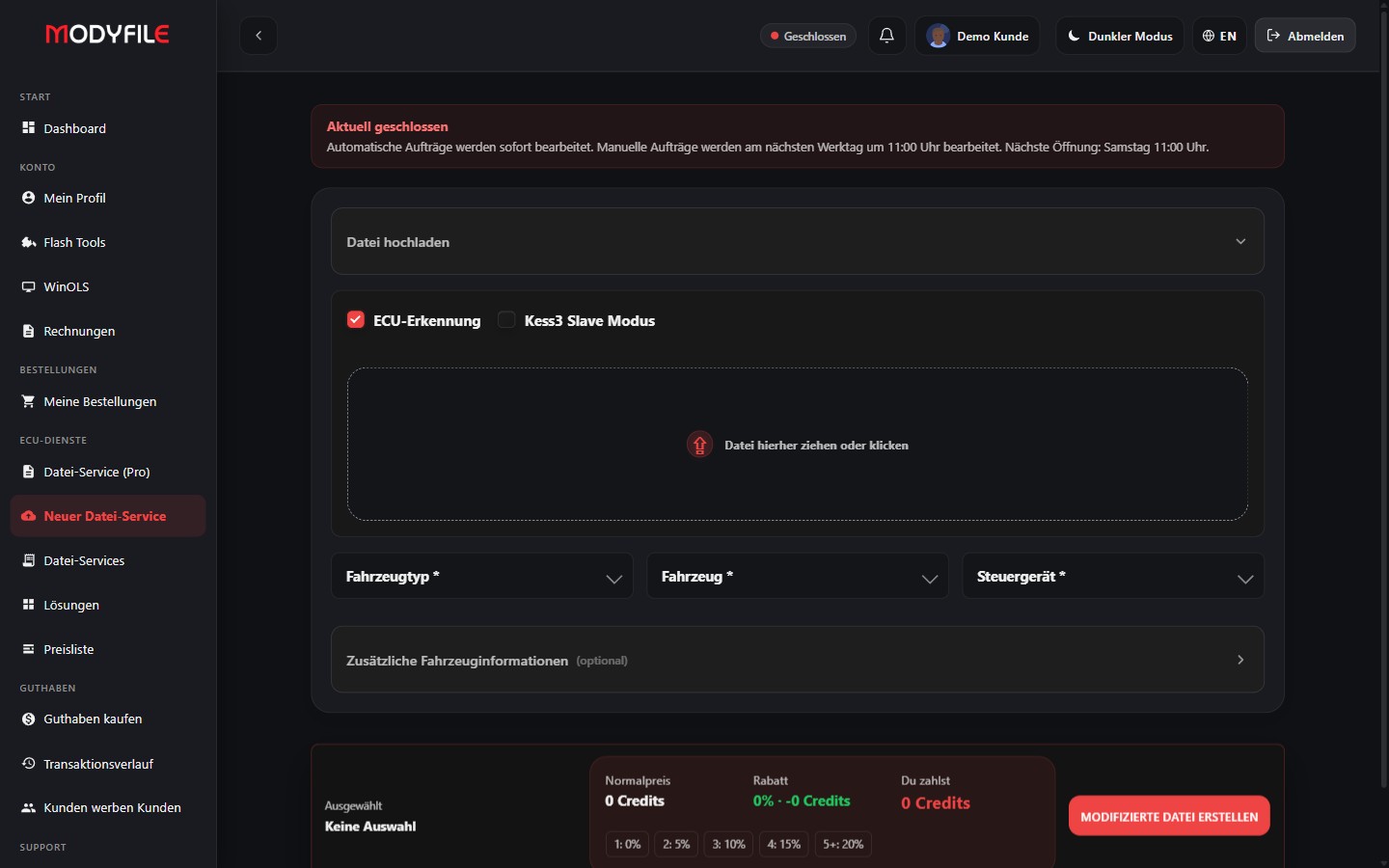
Upload the original file read from the vehicle. After identification, automation shows the available solutions. You choose which services to offer your customers and how many credits they cost.
The order is processed, with its status and finished file available in the portal. What you pay TuningFiles is separate from the credit prices you charge your customers.
SOLUTIONS EXPLAINED AS YOU WORK
Solutions are the changes you can select for a file. Their explanations are available within file automation, helping your customers understand each function before choosing it.
Use the information button next to a solution to read its explanation — or tap it on your phone. General explanations and ECU-specific instructions are available separately. The Pro wizard brings vehicle selection, performance data and solution selection into one workflow.
Where guidance is available for a solution, it also covers required hardware work and whether components need to be disconnected. These instructions apply to the solution described and must match the vehicle and ECU variant.
DTC REMOVAL IN FILE AUTOMATION
For supported control units, load the DTC table, find the codes you need and select them for the order. Your selection is sent to TuningFiles with the file and applied to the processed result.
The result is a file modified for the selected DTCs. This does not repair a mechanical or electrical fault. The separate DTC lookup add-on explains codes; it does not include a TuningFiles processing allowance.
Available DTC processing depends on the control unit and file. Your customers pay the credit prices you set; your TuningFiles plan and allowances determine the provider-side cost.
24/7 FILE SERVICE
Customers can upload files at any time. TuningFiles can process files with supported automated solutions around the clock and provide the results for download — including evenings and weekends.
An active provider account, sufficient allowance and an available solution are required. Manual work and support follow their respective operating hours.
The planned workflow lets you upload your own tuning files and use them first. TuningFiles would provide backup when you are on holiday, at the weekend or after hours. This workflow is not yet available and is not sold as an active plan feature.
TUNINGFILES.AI
Buy your TuningFiles plan directly from the provider and connect it to your portal. The portal subscription, configurator API and file processing are billed separately.
Total price for the selected term. The totals below are calculated maxima from daily limits, not an additional credit balance.
Total price for the selected term. The totals below are calculated maxima from daily limits, not an additional credit balance.
Total price for the selected term. The totals below are calculated maxima from daily limits, not an additional credit balance.
Multiple selected deactivations count as one deactivation operation against the allowance. Multiple selected extras likewise count as one miscellaneous operation.
All vehicle types are included. Once your plan allowance is used up, you can buy additional credits in the TuningFiles shop at the rate for your plan: Standard €12, Advanced €9, Professional €6 per credit. TuningPortal does not automatically charge for these credits.
Need more capacity? Additional credits can be purchased in the shop. Plan changes and renewals are subject to the terms offered in your TuningFiles account.
Shop view from 25 September 2026; prices are not updated live here. Daily limits are the same for all three terms. The displayed full-term totals are calculated maxima, not a credit balance. The plan card states no period for DTC OFF. Prices may differ by account; check terms in the shop before purchasing.
View current TuningFiles plans ↗DECRYPT & RE-ENCRYPT
Connect AutoTuner and Alientech KESS3. Decrypt supported slave files, process them and re-encrypt the result for the corresponding tool.

.slave ↔ BIN
Decrypt slave files on upload and return processed BIN files in .slave format. With integrity checks in both directions.
Your credentials: AutoTuner Master ID and API key. Enable the integration in your portal settings.

OBD · Boot · Bench
Decode and encode supported OBD, Boot and Bench files through ReCodAPI. Upload, processing and download stay within the order workflow.
Your credentials: client GUID and secret, with the server IP approved by the provider. Enable the integration in your portal.
IN PREPARATION
The MMS interface is planned for a future integration.
The technical integration is not yet available in the portal.
Use your own provider credentials. Processing requires a supported tool and file format, with valid provider authorization.
Explore original files and tools →Do not enter confidential data. Verify vehicle and tool compatibility before flashing.